
Appearance
Models & Providers
Starfish connects to many AI providers through Vercel AI Gateway on your own key. You pick the model, or let Starfish pick one for each message.
Available Models
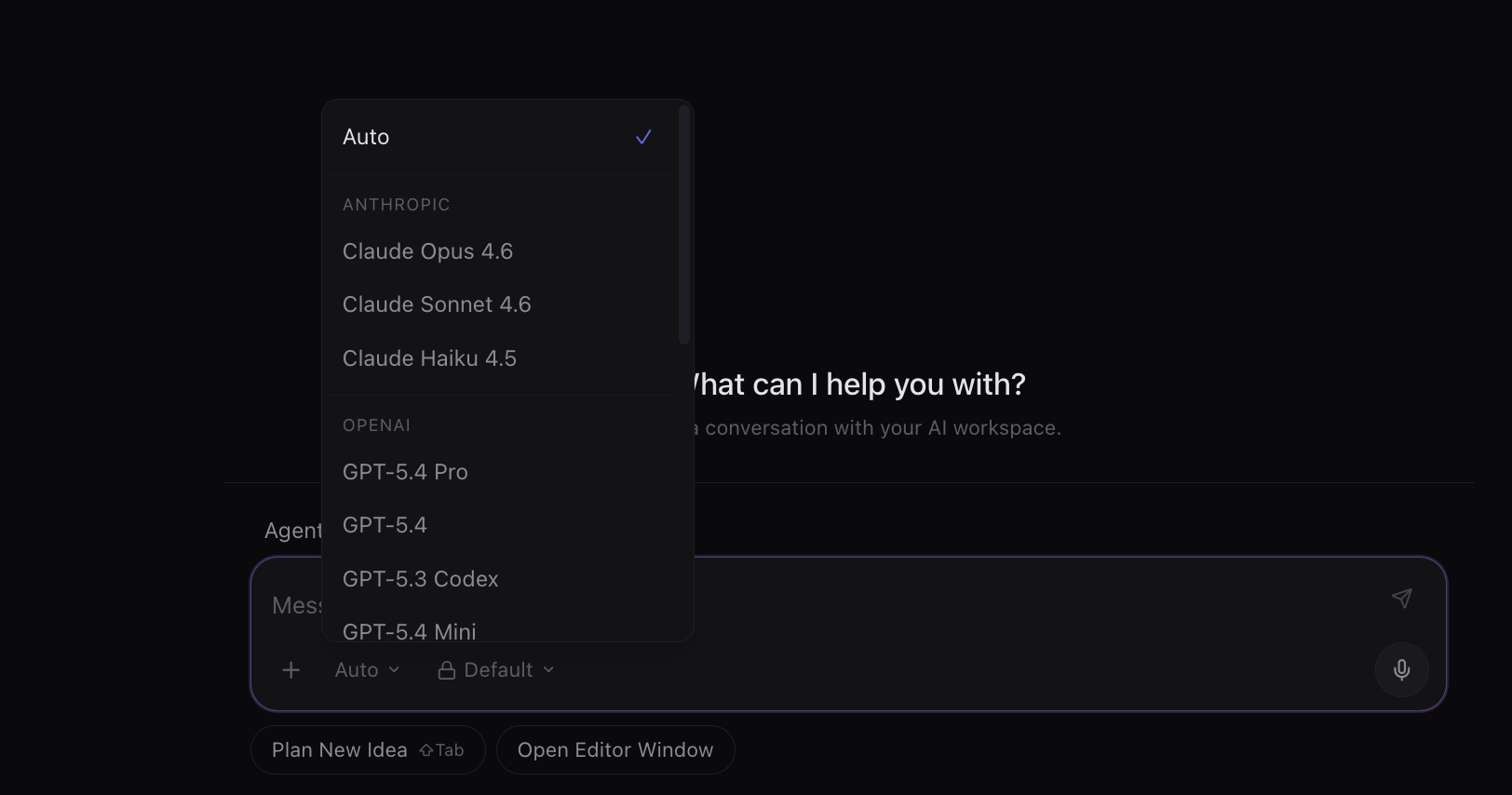
The model picker lists the models available in the App. The list changes as providers release new models and retire old ones.
Model Capabilities
- Thinking -- extended reasoning mode. The model works through problems step by step before responding.
- Tools -- the model can use your connected apps and Starfish's built-in tools.
- Vision -- image understanding. The model can analyze images you upload.
Auto Mode
Select Auto in the model dropdown (labelled Smart Auto in Chat mode) and Starfish picks a model for each message. This is the default. See Auto Model Routing.
Changing Models
In Chat mode, the three levels are:
- Light -- brief reasoning for everyday asks.
- Balanced -- thinks harder for demanding work. The all-rounder.
- Deep -- thinks hardest for the most complex work.
Image and video engines have their own pickers, marked $, $$ or $$$. See Image Generation and Video Generation.
Open the model dropdown in the composer area. Your selection is remembered across chats and app restarts, and every new message uses the model currently shown. In Chat mode you pick an outcome (Light, Balanced, Deep) or one of your named models; in Developer mode you pick from every model and can set a thinking effort for models that support it.
Preview Models
Starfish never picks a preview model by itself. If you choose one, Starfish warns you: do not use it with personal or client data, because Vercel's protections do not apply to preview models.
Data Privacy
Settings → Models → Data privacy has two switches:
- Private providers only -- sends chat requests only to AI providers that keep no copy of your prompts or answers and never train on them. Off by default. While it is on, some chat models or providers may be unavailable or cost more, and a request stops with a clear message if no such provider exists. It applies to chats only (including agents, subagents and automations): images, video, cloud dictation and read aloud keep using their normal providers.
- Remove sensitive information before sending -- on by default. See Sensitive Information.
In Developer mode, Settings → Models also has a Subagents section. See Subagents.